
Power BI: How to Fix Tab Order
In Power BI, the tab order is set by the order in which visualizations are added to the dashboard during authoring. The last element you add will be the first element in the tab order.
This results in a focus order that isn’t logical and doesn’t meet accessibility standards (WCAG SC 2.4.3 Focus Order).
How to Control Keyboard Tab Order in Power BI
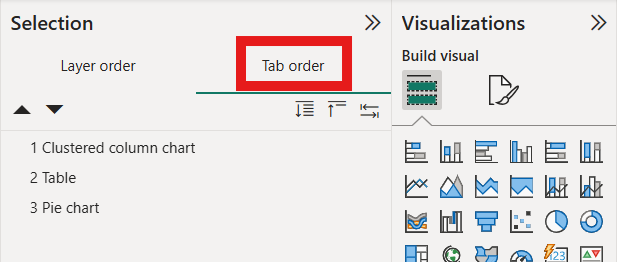
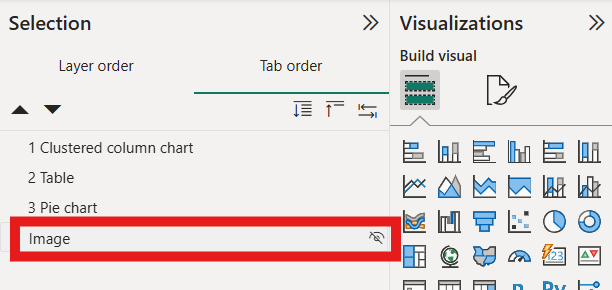
View → Selection → Tab Order (not Layer order)
Activate the "Have tab order match visual order" button.
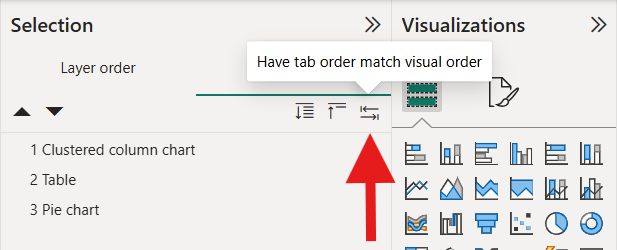
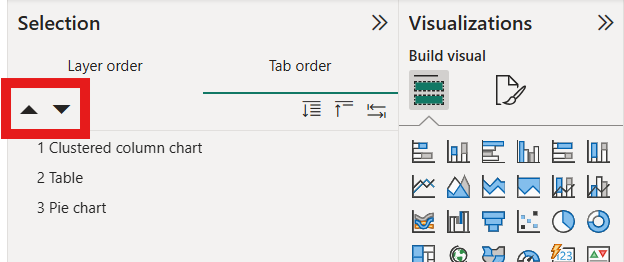
Automatically reorder objects to match the visual order Fine tune the focus order by reordering the objects (drag/drop or use arrow buttons)
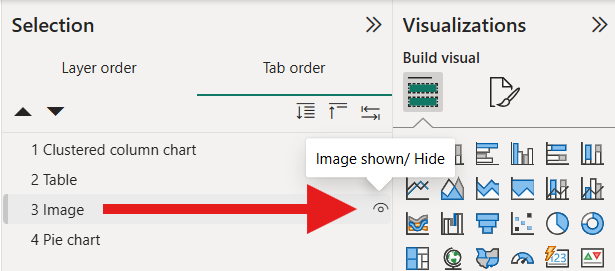
To hide things that shouldn't be in tab order (like decorative images), activate the eyeball icon.
On This Page Jump Links
Off
This page was last modified on 03/03/2026